Alchemic Crafter Sprints
Sprint 1
Welcome to a retrospective of the first sprint of Alchemic Crafter from one of the programmers. Not the most glorious and exciting sprint to come, but foundations have to be laid for a game to work.

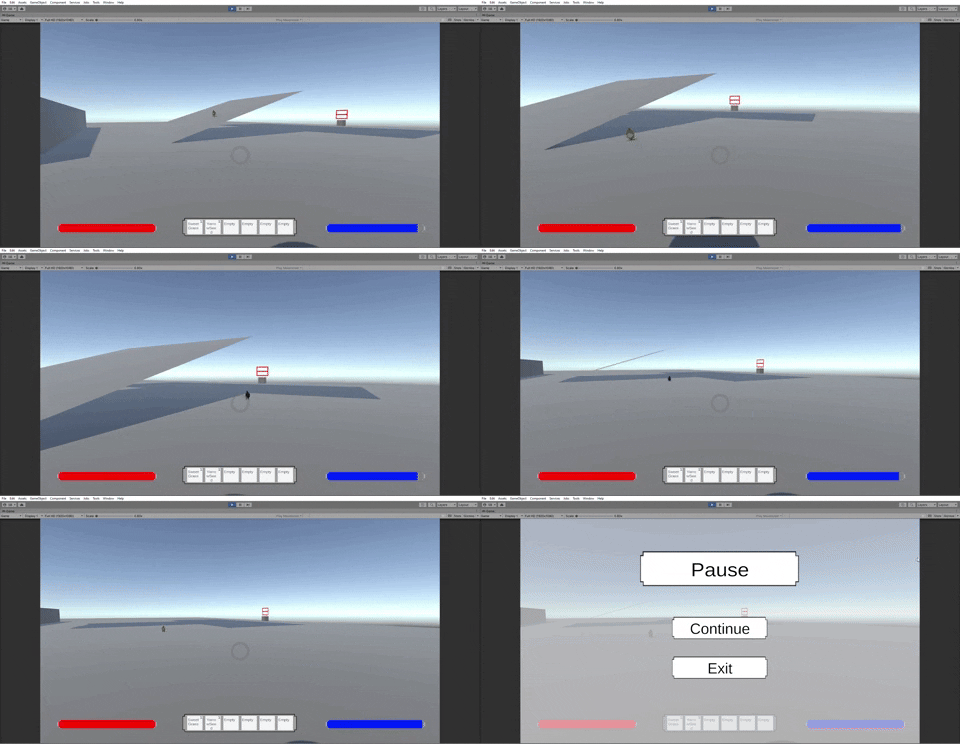
While it may look like a lot its a bit smaller than it seems, this sprint was focused on "Player Controls" and getting a chunk of the "Seed Selection Menu" for plots ready for completion during next sprint. So with that, lets quickly speed talk through the standard. WASD movement, camera movement, shift to run, space to jump, and escape to pause are controls I've done enough now there's not too much to note about them other than they're easy to add and are the basics. I should've gotten the base 4 movements done on the same day and it is something I want to hold myself to the standard to in future projects. I will however come back to Pause Menu a little later for a lesson it did teach me this time around.
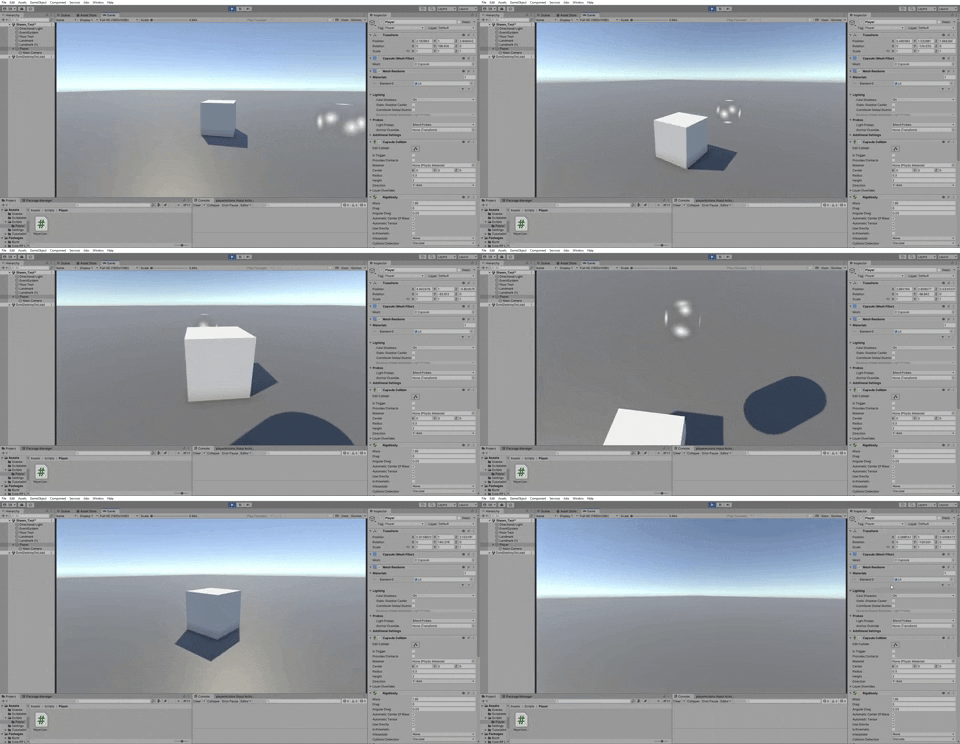
Jumping past the base 4, I worked on adding an "E" to interact control which is actually the first time I've done this. I may find a better way to do it in the future, but this time around I'm finding a bit of success in using interfaces. This way in player, when the player presses E it can cast a raycast to the object in front of a player and check if that object has a script with the interface "Interactable". Then it'll do the specific interaction setup for that script based on the object, simple enough and seems to not need to much coding. A case of using more basic coding, but its one I haven't really used and the more I use it the more I remember it and find better ways to use it so going to note it now and then in case I notice something later for myself to learn.
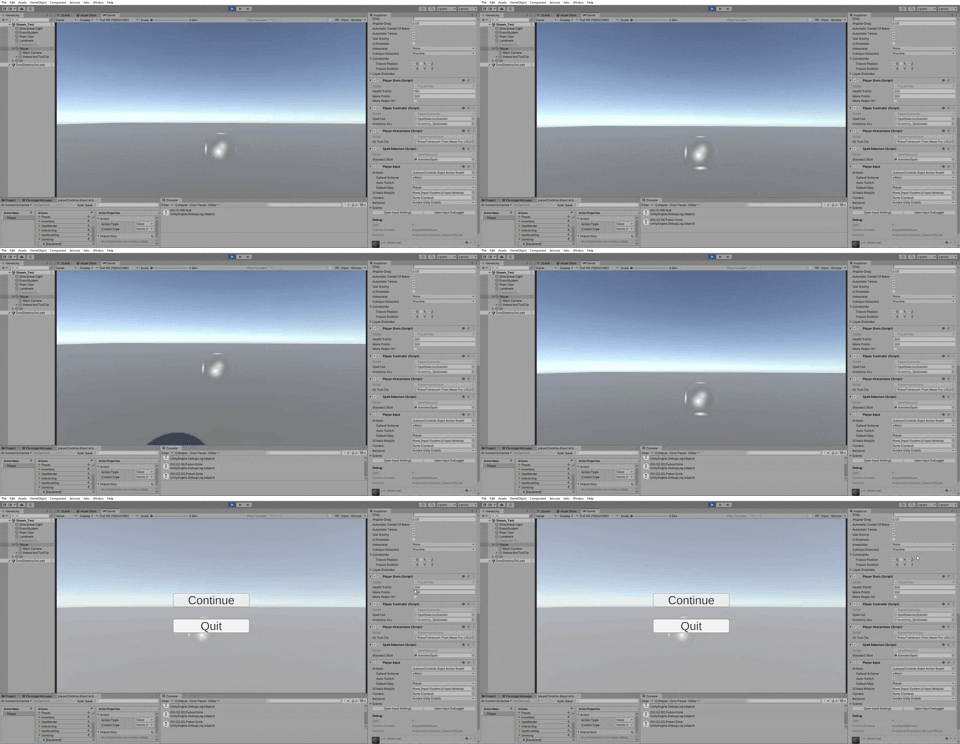
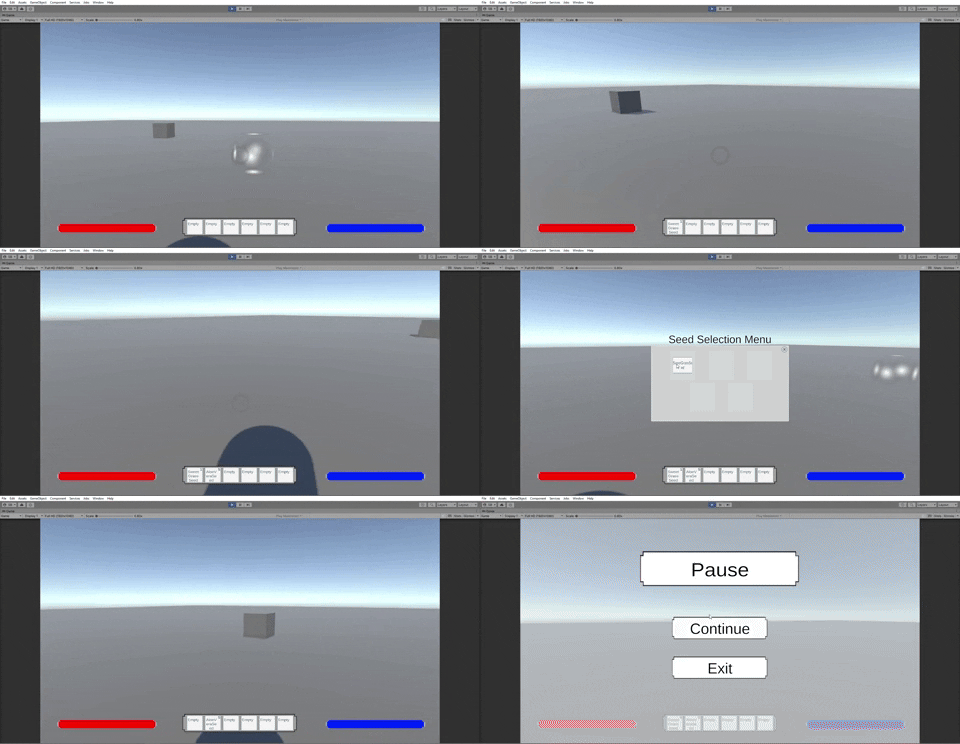
In the below case it just turns on a cube, but that code ends up getting used to set up the turn on and off the Seed Planter Menu so no time wasted from the test version. 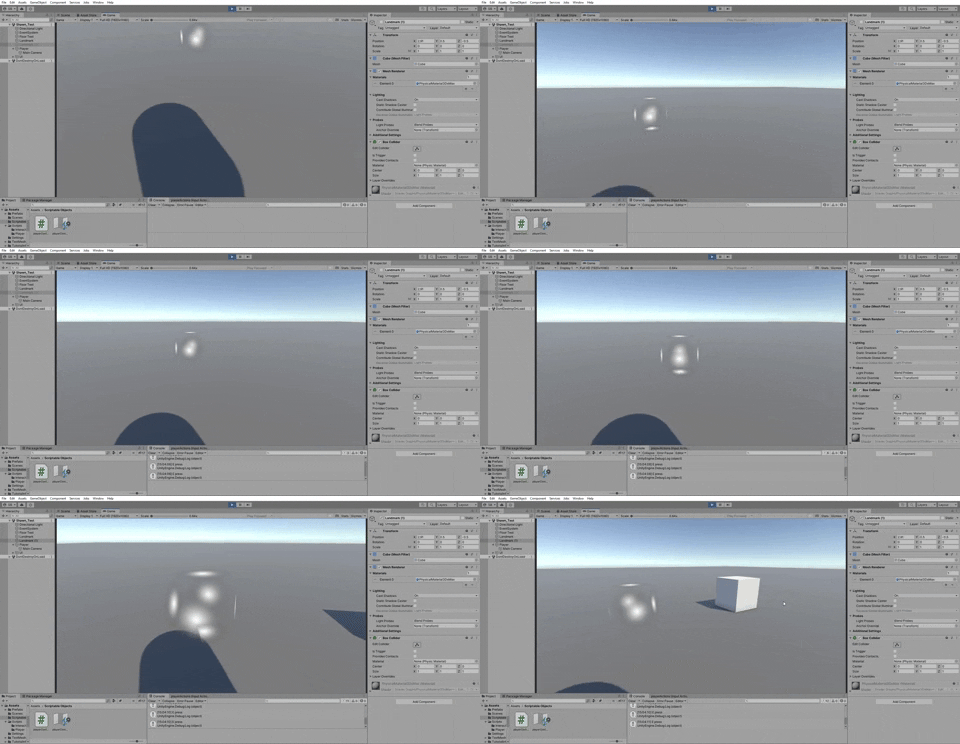
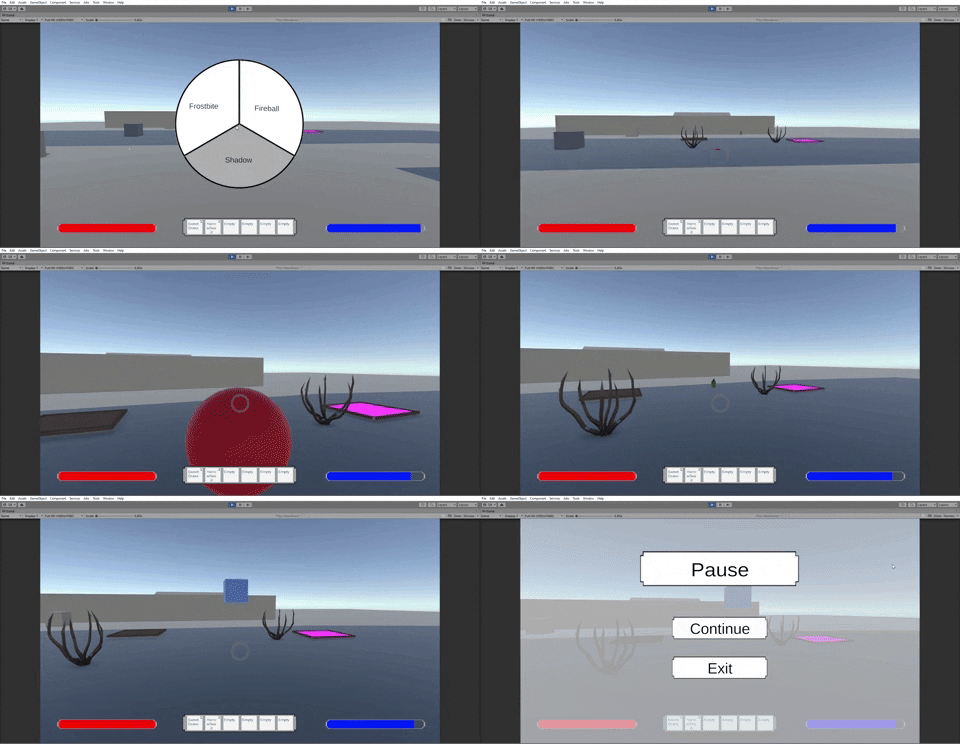
A re-occurring theme with this sprint as "I" and "Ctrl" were set to do something similar for an inventory menu and spell choosing menu. We don't have the menus themselves, but the cubes served to showcase the buttons worked for their intended purpose. There was of course more to them than just turning on and off a game object active, they were both given with the ability to pause the game when turned on. It also does a quick check if the player paused only or opened a menu then paused so that the game doesn't un-pause when one is closed but the other is still open.
Moving back to the "E" to interact really quick, the code got an addition with the card that asked to add a quick tooltip to be shown when a player hovers over an interactable object. This did end up with me restructuring the code after making the "e" button a little bit, but it was in both a good way and bad way where there was less to do for both in total, but I feel like there's probably a much better way to check. So now, instead of the player creating and firing a raycast when they press "E", a raycast is always existing but is set active and fired through Fixed Update to see if there is an interactable object. If there is, the tooltip is turned on. Thinking about it now, I could probably set it up so it only fires when the mouse changes camera angle or wasd is used to move the player so its not just fired multiple times every second. I thought about setting up a Coroutine but it didn't fire enough, the tooltip tended to wait a second before appearing.
If it ends up causing issues in the future I'll probably look into basing the fire-rate on movement in the future, for now this is how it is though in hindsight don't like it that much. The text for interaction like the Interaction button is based on the text given to the Interaction interface of the object, since different objects will do different things.
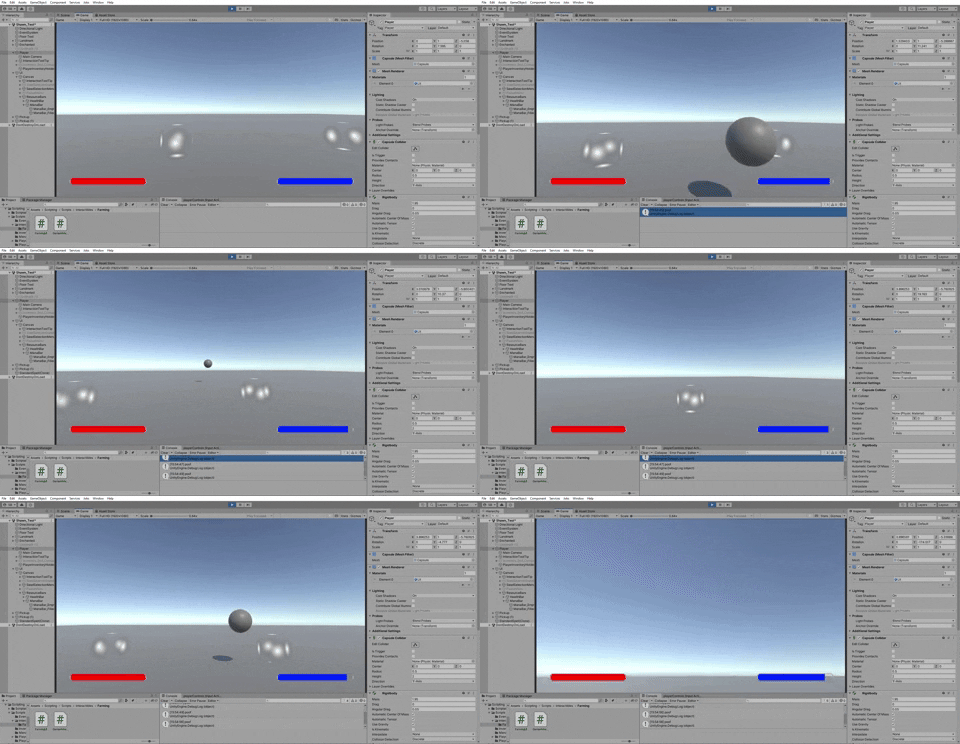
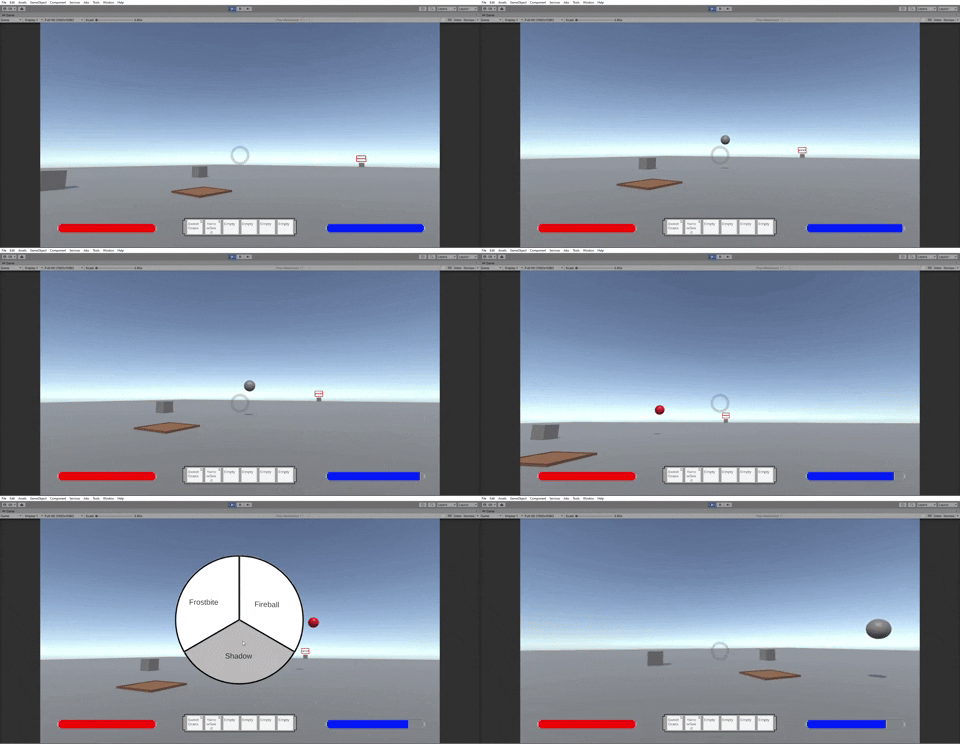
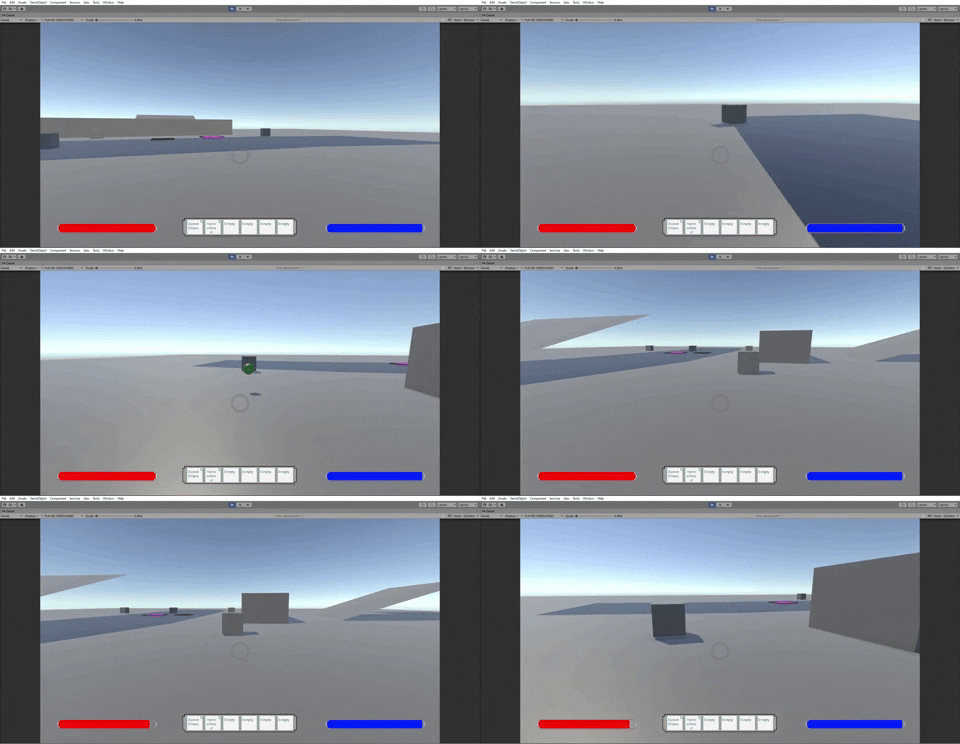
And now for my favorite part, the "I managed to screw up making a spell go straight forward" part. This is what it should be:
The below is one of the many, many strange bullet patterns this spell took when I was experimenting with a new way to make it move forward. I was trying to use transform.TransformDirection to move it, I have learned that that (and adding .Lerp to it) do not in fact make it work. Instead it makes the ball go in a random set of directions that change depending on where you're aimed while you shoot it. So we returned to our old fashioned Rigidbody ways, but definitely keeping that noted in the future as it seems very silly but very chaotic as a tool for an appropriate case.
Not shown here, but spells currently work on a delegate system where once the spell selection menu is added, the script will switch which spell is currently in use and stats like mana used/cast time based on the function currently stored in the delegate.

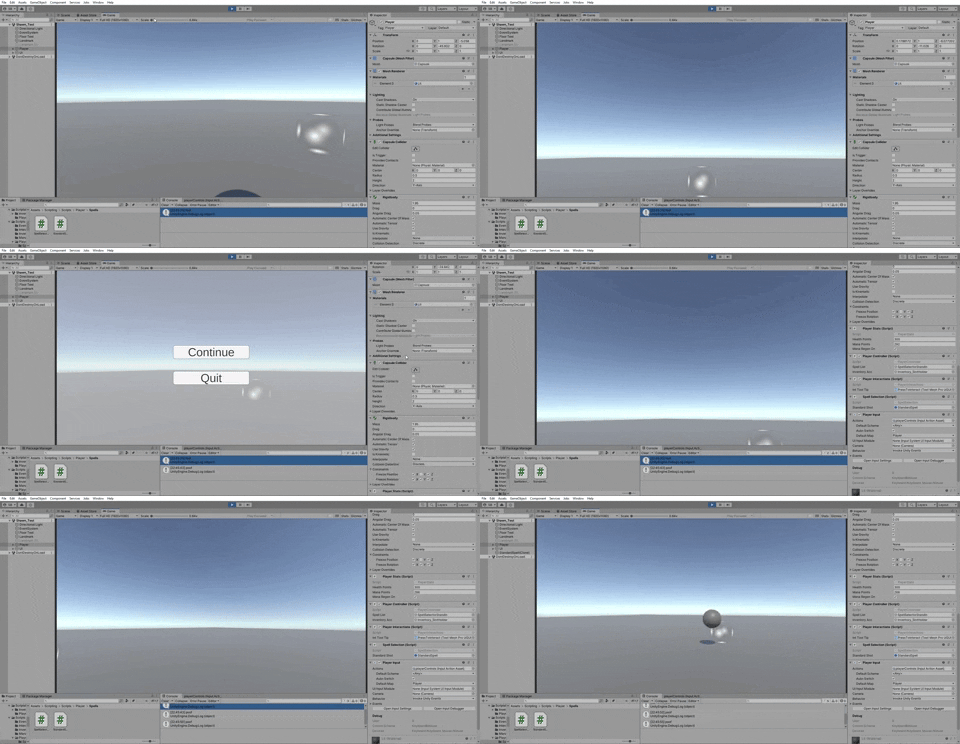
Rounding out the barrage of tasks before returning to the Pause Menu, we have drinking the potion. Didn't note it with the spell, but making the spell and the potion mechanic also made me create stats as a side affect. Mana is used for spells already, but it also passively regens a little every couple seconds. Health doesn't quite have regen, but as seen here potions currently heal the health of the character. Unfortunately not much else to the potions.
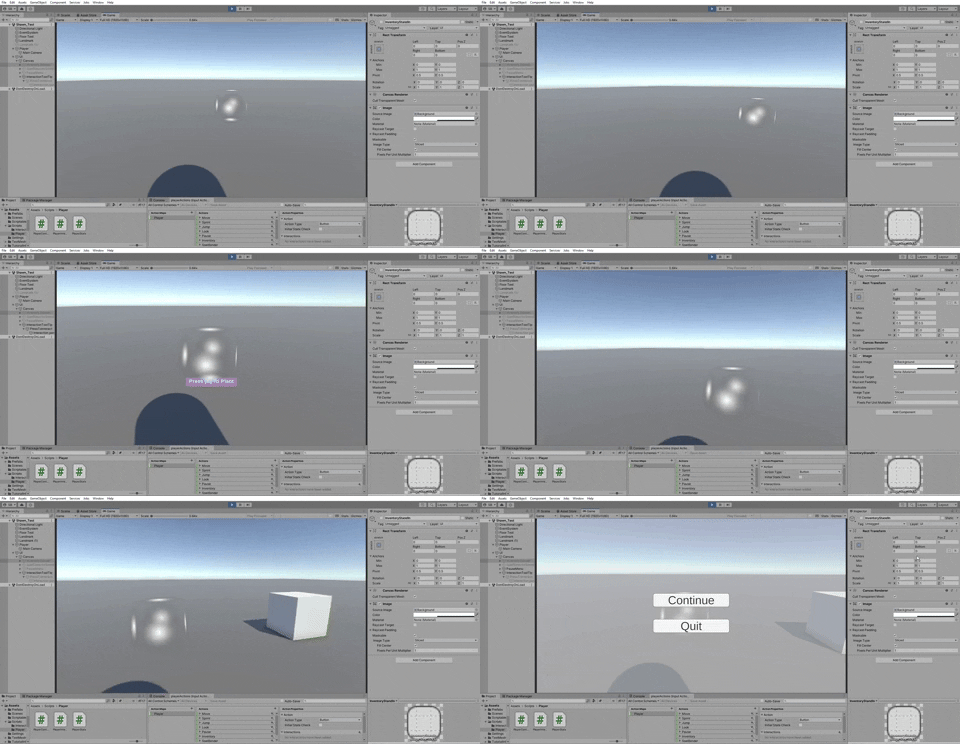
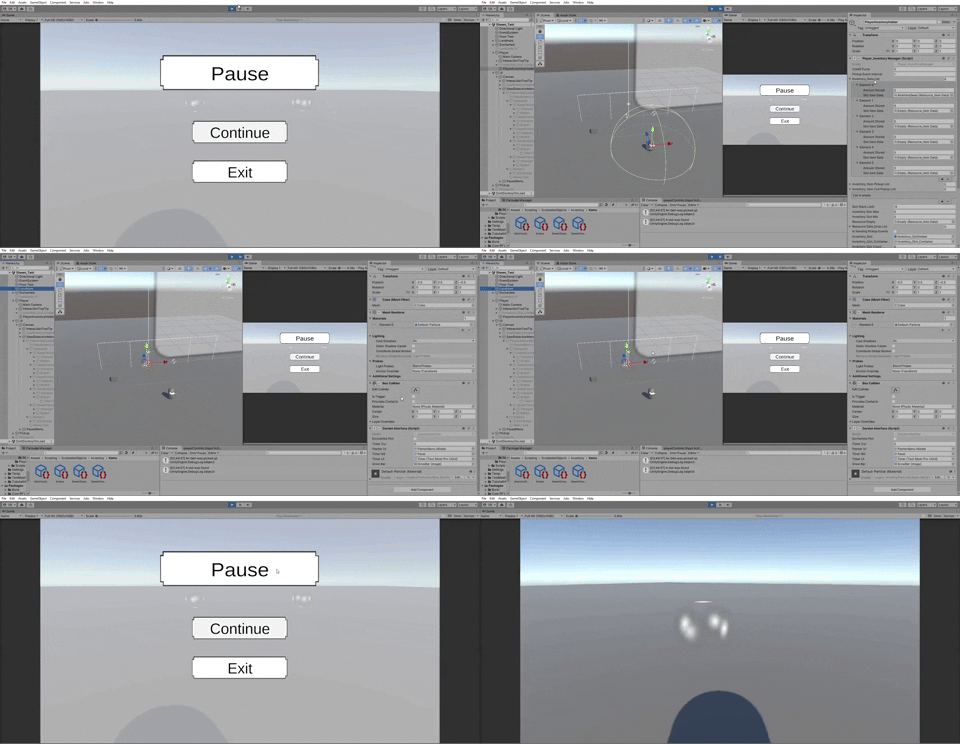
As probably noticed about this Pause Menu, this is the second version of it. No, I didn't put too much extra time into it, it was just a quick couple minute fix up to make it proper. However, I wish to note this specifically because this pointed an important lesson to me as I realized I had been a slight buffoon and didn't at all check the google drive or concept art in discord for the UI maps. In my head at the time I thought "Oh hey its concept art, that is for artists to know what they're doing its not too much of a thing for me" and "Oh hey UI, this'll be for the artists when they eventually make the UI graphics." While sure not entirely wrong, it still heavily affects me.

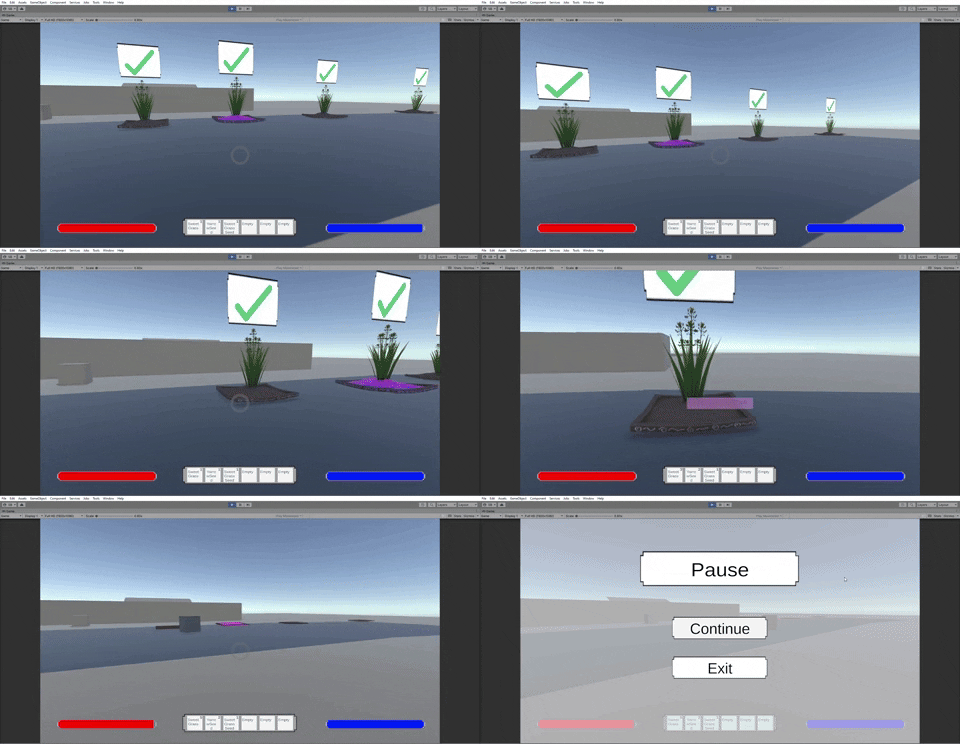
A card can only tell me so much, these layouts not only show me what I need to make in order for it to work but also how to make it in a way it feels pleasant for the player. Such as the below Seed Selection UI, had I just been going by card it would be so much bigger and had more buttons that just wouldn't be the most fun for a player in hindsight. Still a work in progress definitely not what the final version looks like as even the plant button there is extra for the moment as its just for testing right now.
The concept of viewing things such as the concept art is something I'm reviewing now to get hammered into my head especially for later when I'm working on monster AI,. If I want to make these enemies to the best of what they can be, and to make them feel to the player as the producer imagined them to be, I'm going to need to pay attention to everything like the concept art even if not meant directly for me so I can make these monsters feel and act as they should when a player finds and fights one of them. We'll hope I remember this important tid-bit in hopefully 2-3 sprints when that comes to pass or however many more sprints until I can make monsters, as well as in future projects.

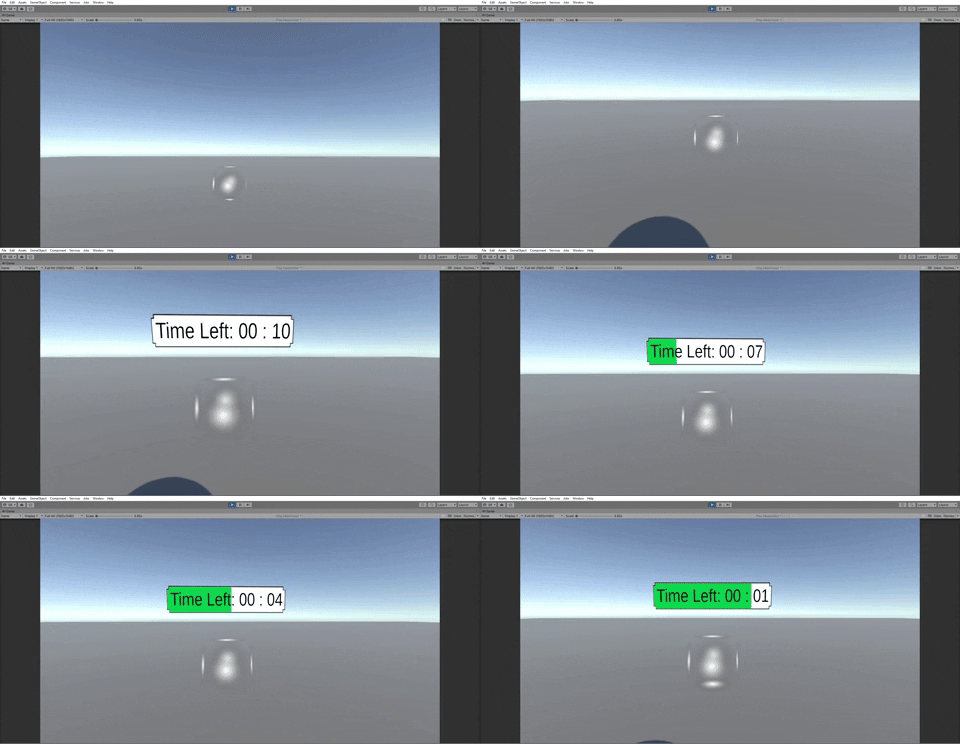
As its probably sounding, this first half of the Seed Selection Menu wasn't actually that rough. The most trouble I was given was actually with the green bar loading for the overworld UI as I my basic algebra skills were failing me. I want to say I figured it out by googling it or remembering how it worked, but I was remembering the lesson of don't be tired when coding and ended up more-so brute-forcing it with the guess and test strategy for what could make a formula slowly boot up to 1. Realizing as I go forward might be a good idea to just write some of the equations like this down as I go forward just in case I forget considering the cases they come up are quite frequent.
However, I also recognize first sprint tends to be a bit slower as I'm getting back into the groove of things, and hindsight I didn't really realize that there'd be a blackout or 2 especially right during my normal working hours where the first one removed a day from my working schedule due to also affecting surrounding blocks. Biggest thing to self-note there is to keep an eye out for weather forecasts and shift schedule during future storms when possible, as getting hit by a third blackout during working hours is not something I want to experience.
So here's to the start of Sprint 2, looking forward to seeing what I get and what I can do this next sprint.
Sprint 2
Alrighty, welcome to Sprint 2 where in my case its the Planter and UI update as the goal of this sprint was to finish setting up the Planter and getting the important UI done and out of the way with.

To start the sprint off I started to continue work on the half finished planter. So, that made my first order of business getting the Seed Selection Menu to recognize the seeds in the player's inventory and show them as part of the menu. Items at the time were divided by name and rarity, so I ended up adding a new enumerator to categorize the scriptable objects called Resource Category dividing items into plants, potions, seeds, etc. The amount of each item in the player's inventory conveniently was already accessible through a property called AmountStored. Now that the data for the seeds available could be accessed, it made things really easy for the rest of finishing the planter.
While both tougher for figuring out how to divide seeds, it was also a bit tougher in general as I was just then getting used to the inventor code as I hadn't made or touched the inventory code until that point. The biggest learning part for me here was getting used to reading more complex code and trying to find how and what to access to get related scripts working.
The rest of the process was using lists to match the data of available seeds to the UI that'd plant the seeds. If there were more open slots available, the panels holding the unused buttons would be hidden using for loops based on the count of available seeds.
Gaining access to the data of the seeds used quickly sped up the process of tasks needed afterwards. Depending on if a plot was enchanted or not changed was then made to check if the seeds were common Rarity or higher. On normal plots, the higher rarity seeds would also be sorted out so the available seeds shown were only Common seeds.
Then once a seed was actually chosen and the data was sent back to the plot, the rarity alongside a bool to check if the plot was enchanted would determine how quickly the seed grew. Both of these were simple enough tasks that were just held up by the first task.
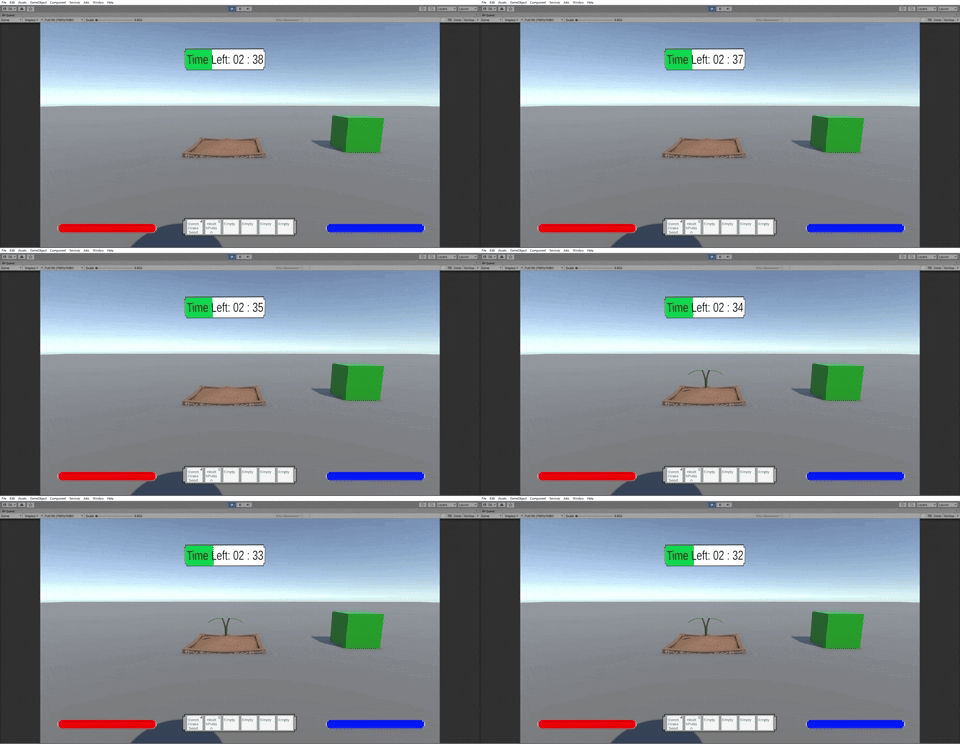
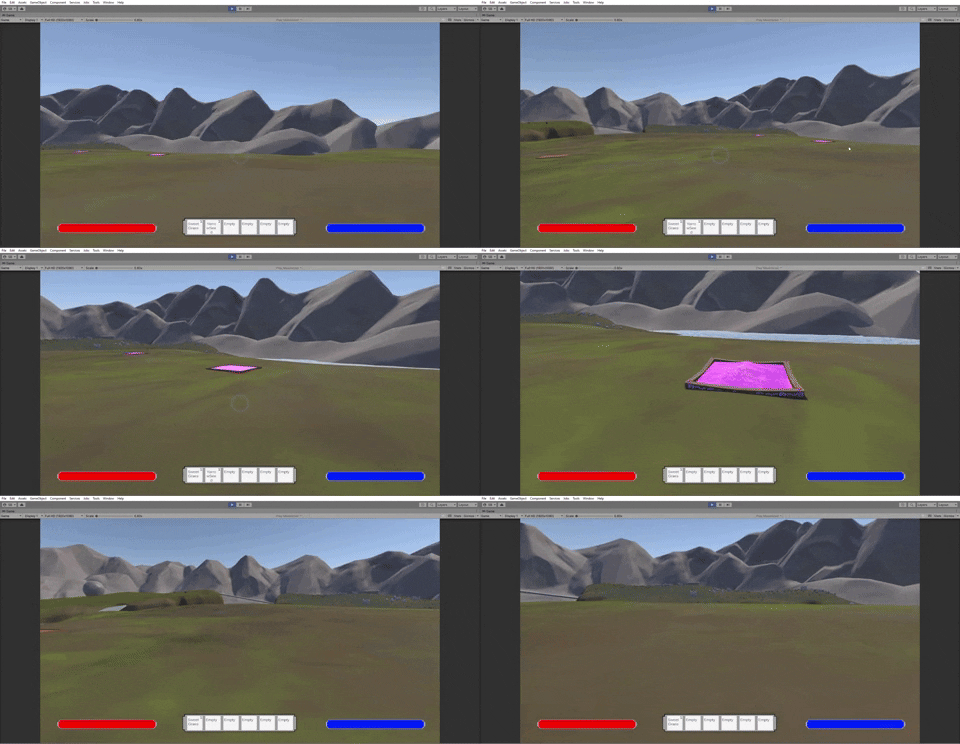
Next up the plants actually being spawned. This was a two step process, so I started with the easier of the two which was spawning the young sprout. There's only one sprout type that spawns, the only thing is it randomly spawns depending on how much time has passed. It can spawn anywhere between 33 - 50% time passed. Doesn't spawn too early so it doesn't leave the player waiting the whole time feeling like nothing is happening, but also doesn't spawn too late for both that reason and the feeling of "Why does this take so long."
A bit more importantly, spawning the plant got me thinking more on UI placement. Before it was simple enough as there was just empty space, makes sense to put UI at eye level for ease of player. However as plants start growing, the UI needs to not be blocked by the plant and visa versa so the point of where it can be gets changed. It may change in the future but at the moment it feels like it should be at lowest at eye height so it immediately catches the player's sight without feeling out of place where it only goes higher the higher a plant is out of necessity.
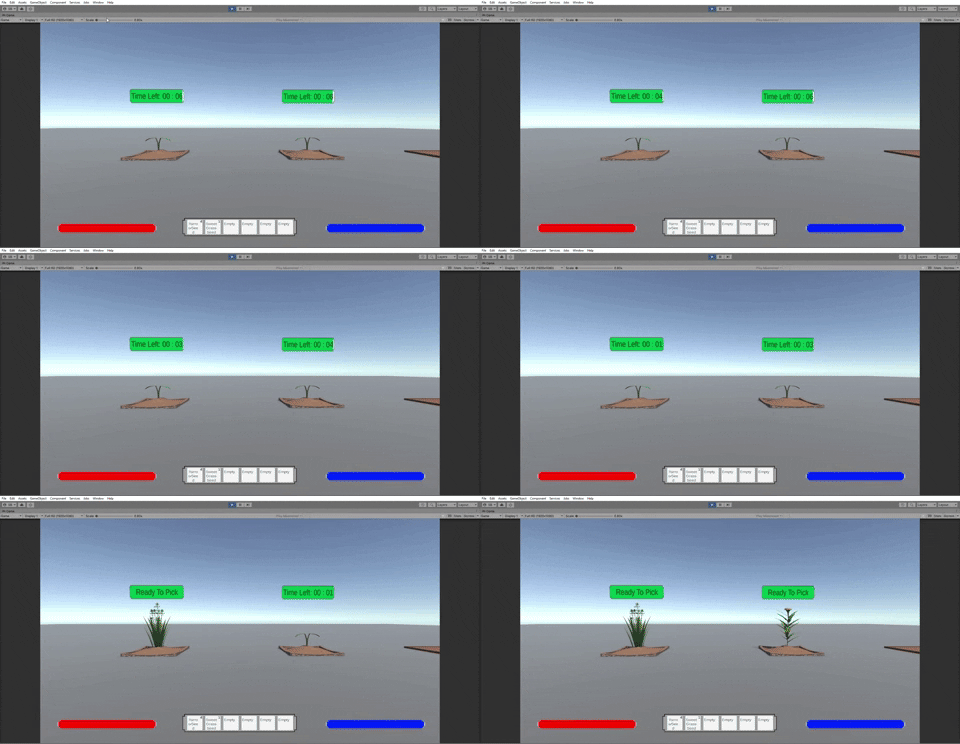
On the note of tall plants, the fully grown plants were added next. What was needed here is the seed data would be needed to determine which plant was being produced. This was something I had been thinking about/planning since the start of the sprint so it ended up being really easy to implement, I ended up making a list with access to the item objects. Depending on which seed the plot was given, the plot would also have an int storing a number which would give it access to the appropriate plant in the list.
There were admittedly problems related to this one as I did try another way of doing it before this and suddenly sweet grass was giving yarrow while every other seed was fine. This was because at the time I had been basing the seed data on the inventory slot instead of just using a copy of the plant data which I didn't realize I was doing. This was fixed by swapping from inventory slot to a variable just holding the data but is something worth keeping in mind for me as I continue to use variables I'm not entirely used to going forward what exactly its accessing.
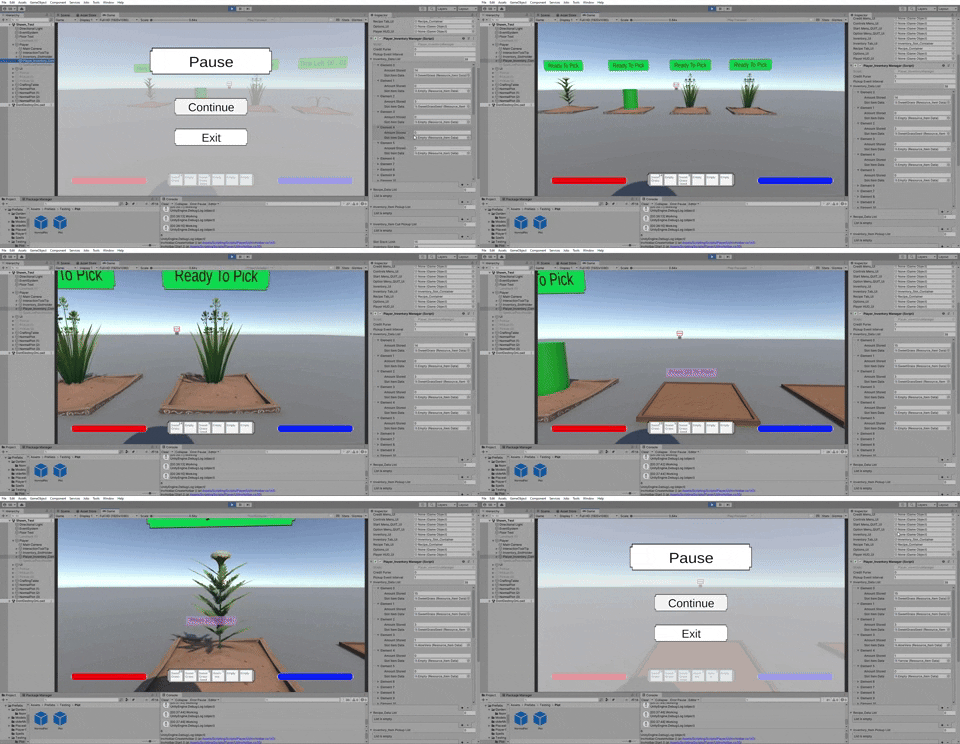
Not only did this work for just making it easy to determine which plant is which while making it easy to add new plants later, but it also gave easy access to finding the data of what plant to give the player after interacting with a grown plot. That alongside using a more reversed version of the function used to find available seeds in the inventory to take one for planting led to a quick and easy enough implementation of "Put this specific plant in my pocket."
While I did set up attaching the proper models to the planters for both normal and enchanted, there wasn't much more to it than doing that and making them each their own prefab.
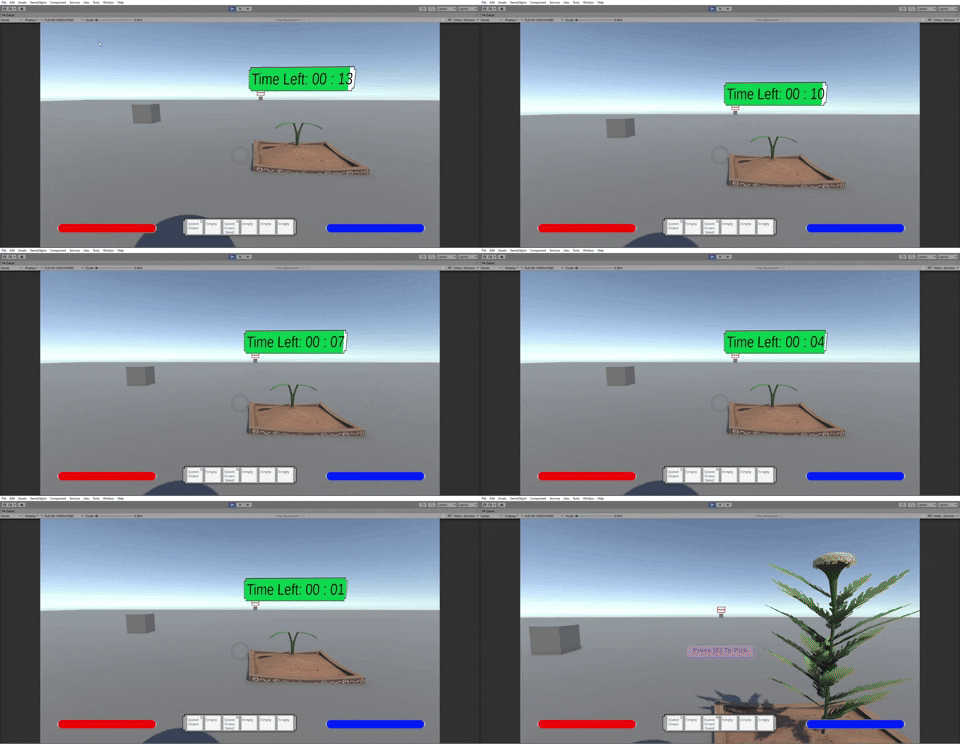
Here is the current final version of the UI for the planters. As mentioned earlier the UI currently settled on for the planter is it stays at the size of the eye level until the plant grows where it'll be spawned above. The final addition to both planters ended up being the UI showing a checkmark.
With the planters out of the way, its time to look at the UI. While making the mana and health bars are simple enough, this time around I did realize a great use of properties for making numbers you need to check on (in this case health/mana) in order to update them. By putting the function to update the visual bars in the property it should update the UI without needing to check constantly using Update/Fixed Update. Well known to most by this point I imagine, but for me it gives me an idea of what ways to look to in expanding my understanding of what makes a good use of a property.
Reticle meanwhile doesn't really need explaining, it exists to help the player aim and lands won't be grey in the future so it "shouldn't" camo into the grass like the barren testing terrain. Its main thing is it goes in active when interaction notes pop up as having both up is just noise on the screen that looks and feels bad to see.
Rounding out the Player Hud UI with the above mentioned is the inventory hotbar. A hotbar meant for just showing off what's currently in the inventory. The way it currently works is a more general version of the seed finder for the planter where it searches the inventory for items in general. If it finds 6 items it'll stop searching, otherwise any slot that doesn't get assigned an item. This gets updated whenever there's an inventory change, be it there no longer being seeds because the Seed Planter removed the final one, or a new plant getting added.
The Player Hud UI group ended up getting its own canvas, as the difference between the Hud UI and everything else is everything else is basically a menu of some sort. Opening any menu should come above the Player Hud, which gets a little annoying to organize if its all in the same canvas and a bit cluttered. So this time around I'm getting used to sorting layers and multiple canvas' to both organize the UI and also make it look proper for how its sorted amongst each other.
For the final UI I did I learned a funny thing about Unity. Apparently, at least as far as I've checked and I'm blind to it being added in a newer version, we don't have just slot in custom shaped buttons. Its something we can add in using masks and code but it doesn't come with unity. There are multiple ways to make ones though that's definitely become easier with time and is something I'll explore more at a later date. For the above example however I used the way of using a mask and then attaching a script to said mask that makes it so the button below can only be seen and clicked if the mask (shaped by the sprite of the button) is clicked. A nice thing to learn but also a bit surprising.
With that, that's been all of Sprint 2. There is a bit I haven't spoken of like merging, adding the ability to open portal storage and crafting menu, menu bugfixing, etc however this was the majority of what I thought was best to reflect on. This sprint was a good amount of work where time ended up getting taken from learning and implementing code I haven't done before, like the custom button shape above, had funny issues with implementing it at first or ended up being like the health/mana bars where they're easy to do but still take a minute to make and implement.
I'm definitely a bit more satisfied with this sprint of work despite taking a bit longer than wanted as I'm starting to pick up pace again and more importantly noticing areas I need to improve on. Such as how I design my code in the future, especially with the menus which I had to do a bit of bugfixing with by the end of the sprint. Admittedly, I spent a bit more time on setting up the electronic prototype between merging and playing bug-fixer than I would've liked, so I would like to see if I can make my code more efficient moving into these next sprints alongside being a bit quicker in general. With foundations and UI out of the way, here's to what looks to be a fun Sprint 3 for me.
Sprint 3
Welcome all to the end of Sprint 3, which in my corner of the group was the Combat Sprint. Seedlings were made and added, the special spells gained their special effects, and a couple other handy updates.

To start off the sprint, the big main focus was the aforementioned Seedling enemy. The seedling enemy is special in how its spawned and how its agrooed, however among the three enemies it also shares some traits. The spitter and seedling will both be shooting from afar when the player is range, while the seedling and boar meanwhile will have passive movement, chase the player if too far away, or do a melee if the player ends up being close enough. While of course there's more to the differences than just this the important thing I noticed was the enemies described actions are dependent on the current state (Examples: currently aggroed, passive, close, far from player) of the enemies. This led to me using not only a State Machine setup, but one where I'll be able to sub out and sub in different behaviors for each state.
For those who don't know, the way a state machine works is basically you set up multiple scripts where each script represents a state of the enemy, a side script to setup going from one state to another, and finally your main script which will be calling the state scripts depending on which state the enemy is currently in. The big advantages of this type of setup is that by making each state its own script and running only the functions of the script whose state your currently in is that you're not constantly calling or checking unnecessary code. Alongside this, and each script being isolated from each other (meaning finding the problem script if something goes wrong is easier), a state system lets you choose much easier what state specifically can go to which states depending on factors. It does have its demerits (say for a combo system a flow charty setup like a state machine doesn't particularly fit as easily) but for this case seemed to be the tool for the job.
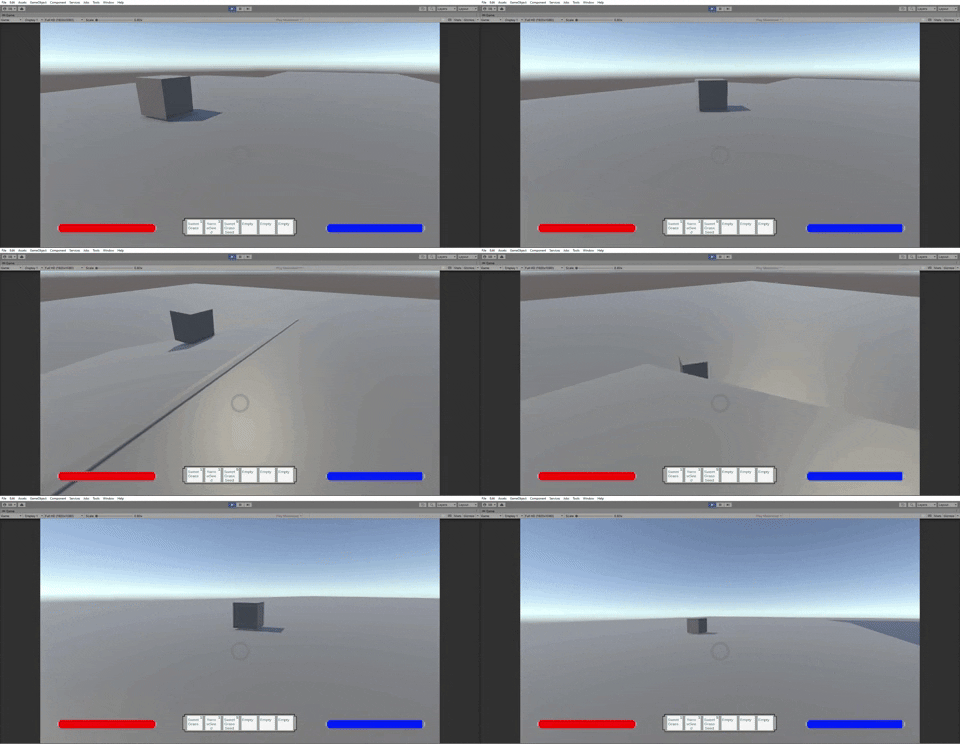
So to start off the states is the "Idle" state. Originally this state was two different states (an idle state then a wander state), but I realized it'd probably be better to have them merge into one state as they are basically the same thing. The way this state works is enemy will start at an idle, and after x amount of time (could 1 seconds could be 5ish) the enemy will choose to walk around for a bit. The enemy will take a random point nearby by checking if it can hit nearby with a raycast specified for the enemy's navmesh (walkable terrain) If it does hit walkable terrain but can't actually walk to that terrain, it'll choose a different spot to walk to. This continues for a minimum of three cycles where the enemy will start to see if its tired enough to rest and just look around for a bit. If its not tired enough yet, it will have a higher chance of taking that rest after its next walk cycle. This increases until its guaranteed the Seedling will take a rest.
The big issue with this wander system was if the enemy ends up wandering too far from where they're supposed to (like a boar wandering into the player's home on another island) there wasn't really anything to stop that aside from maybe separating walking spaces. So the second state "Return to home" was made. As the name implies, if an enemy wanders too far from home either from chasing a player or just wandering on its own, the Seedling will change to this state to return to a random point close to the center of their home. This uses the same random point near the home as it uses to find where to walk while wandering.
The next important state is the chase state, which is the state that leads from idling to attacking and visa versa. This state is triggered from either being aggroed (so picking a nearby plant or slinging a spell at the Seedling) or from being out of range from the attack states. From the main chasing portion of the state it isn't too special, it takes the position of the player nearby it and tracks it down as long as the player can be traveled towards. If the Seedling gets in range it'll change to the seed spitting state.
If the player ends up in sight but is unreachable, the enemy will enter the return home state. If the player ends up escaping the detection radius, the enemy will go to the last known position of the player and then look around to see if it can find the player. If the player is not found the enemy will lose aggro and enter the return home state as well. By returning home, this prevents cheese of hiding or being right out of sight and just shooting an enemy over and over. Likewise it also helps to stop the enemy from camping a player who just entered the water or is hiding and is looking for a way back up safely.
Finally came the two offensive states. The first one was a simple seed spit towards the player, if it hit the player, the player will take damage. This state would only be accessible from either the chase state or the headbutt state, which will be the last state mentioned. When in range, as long as the player doesn't run into headbutt or chase range within half the time it takes to charge up a seed, the Seedling will spit out the seed. If the player rushes in or away before that time, the Seedling will cancel their action and swap to the appropriate state. This was to make sure players couldn't just rush into range and immediately just force the enemy to stand still to sit through the entire shot process while the player escapes without trouble. Unlike the original spells, this seed would be shot forward toward the player using the physics system which I remembered was quite a bit better than just shooting spells forward using update, this would lead to spells being fixed to using the same propulsion system.

The second offensive state and final state in general was the headbutt state, which was nothing too fancy. When the player enters the headbutt radius, the seedling will do a quick run towards the player before stopping after a couple seconds to charge up a headbutt. Once charged the headbutt hitbox will be shot as seen above. Although now a bit smaller as its adjusted for the smaller seedling size. It will be losing the actual display of the funny cylinder soon, its to show off for now so in playtesting the players will know what the enemy is trying to hit them with until I add in the animations. (which will instead be showing the hitbox from the seedling actually headbutting)

Once the states were made, the last thing set up for them was to turn the state into Scriptable Object as seen above. Not the most conventional use of Scriptable Objects by turning each behavior into a scriptable object this lets me take swap any of these behaviors for a different behavior made for the same state. Say I swap out the Far Attack behavior of spitting a seed with a gap closer dash from a boar. While not every state will remain the same, this does allow for me to not only reuse parts of the state system for future enemies that share behaviors to cut down time needed to make new enemies, but if we do end up wanting more variance as well with the behaviors an enemy can have its now really easy to implement. However its mostly here for the former reason which will be really useful for me when working on the remaining two enemies.
Once I finished making the state machine for the Seedling, the rest was a bit simpler and mostly easy. As seen earlier with the chase state gif and right here, the enemies now have special effects for if hit by special spells. The ice spell from earlier turns an enemy's material blue and slowing their movement for roaming and chasing for the duration. The fireball spell on the other hand burns the seedling for a few seconds, gaining more time on the dot for each time its hit by a fireball. for each time a burn happens the enemy will turn for part of a second before returning its natural color. This is to give the feeling of a burn, and to give feedback of when the enemy is taking burn damage.
The aggro for the test version of the seedling was originally just if the player was in their radius. However as was noted in the GDD seedlings are actually supposed to be aggroed if the player hits them or picks a plant. (which also has a chance of spawning a Seedling) Unlike a naturally spawning seedling, a seedling spawned from a plant will make the location of the former plant its home, but it won't remember its hatred towards the player when the player leaves as they quickly return to doing their own thing. But the trade off is if a player leaves them there the Seedling will be a nuisance again when the player goes to take another plant from a plot or bush they grab resources from, though can make for fun pet seedling at the house.

Last but not least on the combat side was the almost finished drop system. Upon killing an enemy it would drop a random loot depending on if you rolled a common or uncommon loot table. (and then deciding what item to take from whichever table the player gets) The loot despawned after 30 seconds of not grabbing it to keep from cluttering everything. The loot tables were to be decided base on each enemy, where the above the seedling was already set up. As seen above it was actually done and ready.
However that changed a bit after our recent merge where the seedling prefab had to get remade after the old was corrupted, so now the seedling doesn't drop loot if killed by a spell. It will however drop loot if killed by a fireballs burn tick which uses the same death function. Its not a prefab thing either as importing a non corrupted version of the old prefab doesn't fix the issue. So this is the current work in progress bug to fix, it may just be I didn't send in the fully changed enemy script like I thought since it isn't prefab difference but I did check that first so we'll get back to this one next sprint.
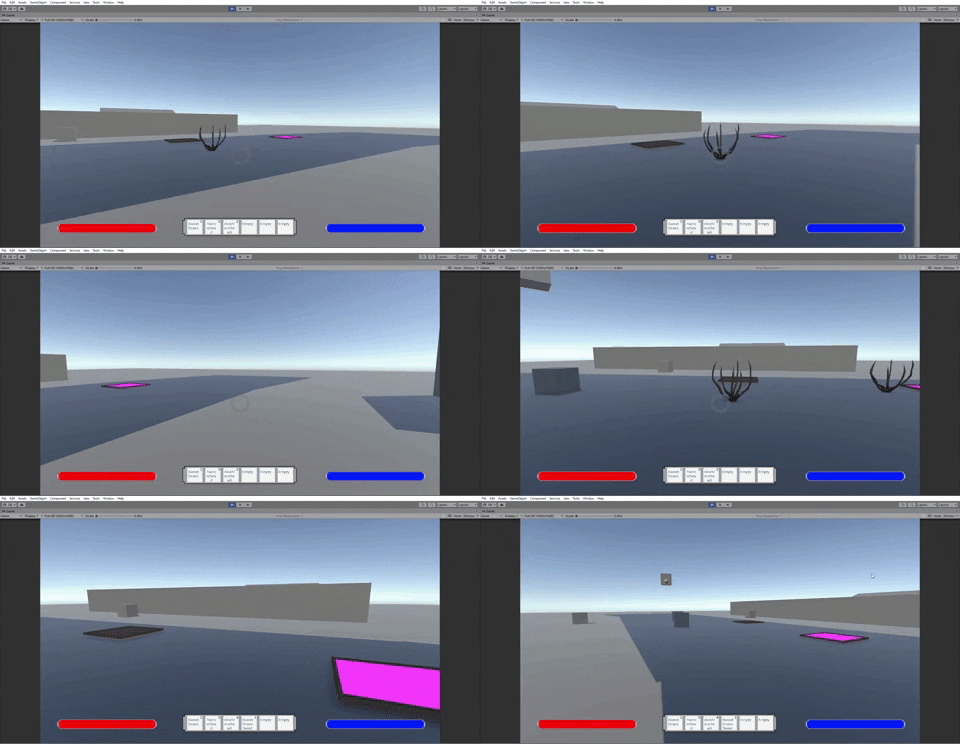
A bit of a difference from the previous enemies was the above dry bush, quick work but a bit of important work still. These bushes are to give access to seeds to the player every 30 seconds to 90 seconds. The above are a slightly older version where the plants would disappear when a plant had been picked, but the plants no longer do that. They still however give seeds and send a seedling on the random chance the player spawns one.
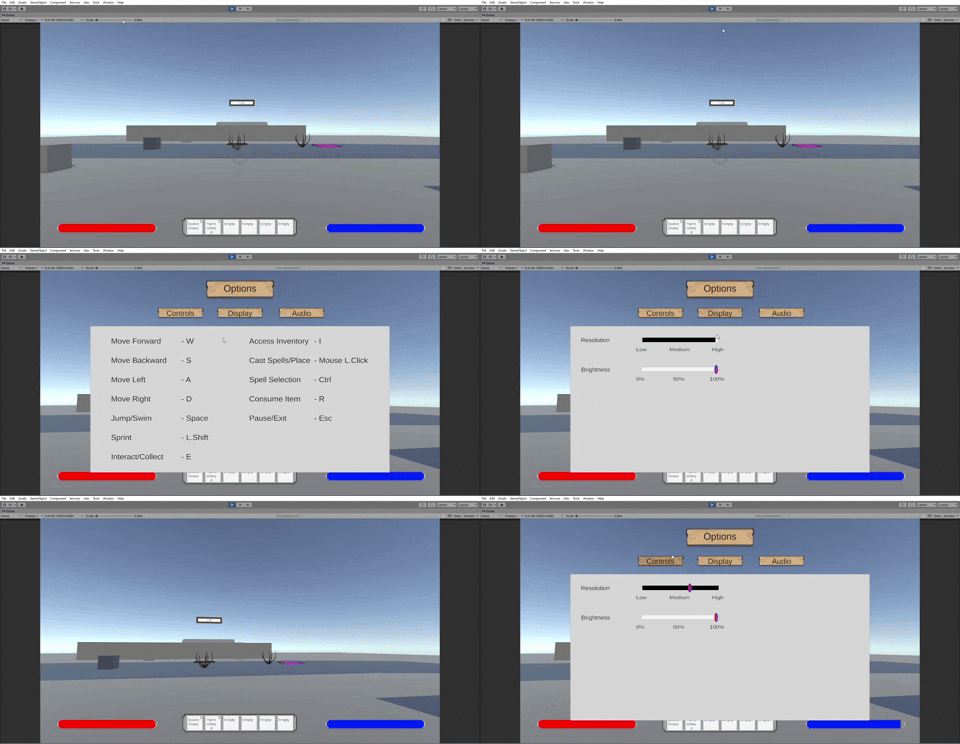
And as one can expect, there was some eventual UI work to be done. This is the start of the options menu which I'll be finishing more of next sprint. The control tab as seen above allows the players to know what the control scheme of the game is so they can properly play without not knowing a button exists.
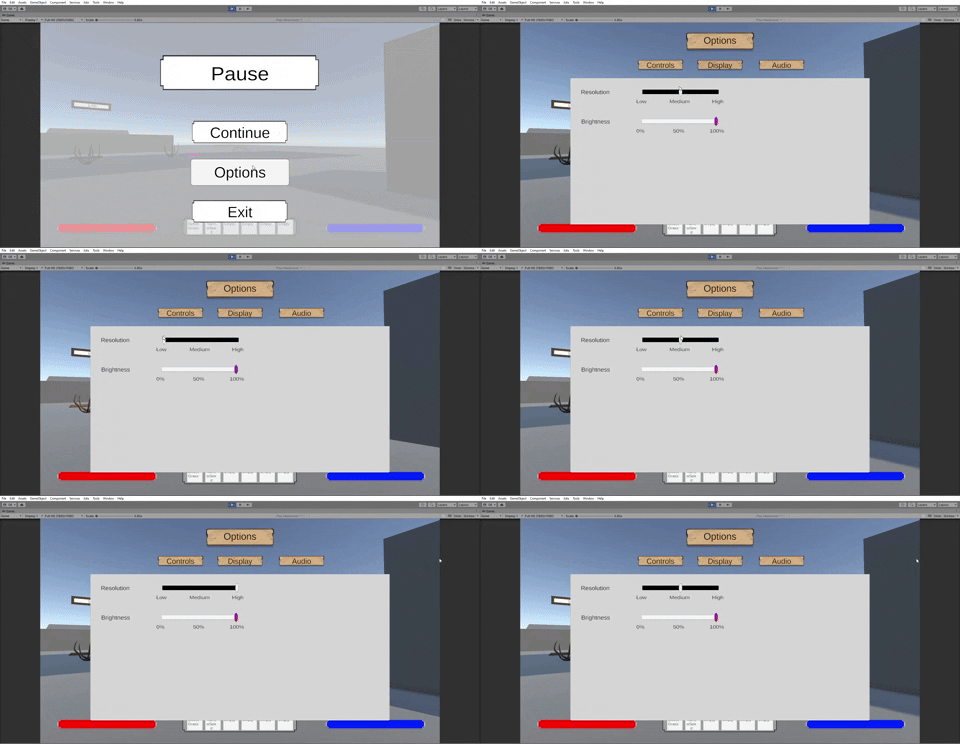
Below on the other hand is the first of the two display settings, the resolution/quality setting. When first going into it I would've expected it to be harder than setting up the brightness setting, however this wasn't actually the case. The nice thing about resolution is that Unity has quality settings you can access in script just by typing "QualitySettings", so when the slider got turned into a 3 node slider I was able to make each node represent a quality as seen below. There is a big difference between the three qualities as well so it makes the setting work pretty well.
With that, this was most of Sprint 3 aside from aside from minor bug fixes I had done at the beginning. This sprint's work was a lot more specialized specifically into setting up the enemy and building a strong foundation for enemies to come into the future, I do like what I got done quite a bit. I do feel like making the state machine could of been faster, while I'm a bit newer to the process once I get more used to it I feel like I can probably get done what I did this time around for the State Machine in a day or two in the nearish future. But for what doing it this time around I like what it ended up becoming and feel like its a lot better than what I made for previous games like Glock, Paper, Scissors.
That being said, especially with this playtest I have noticed I have a tendency to make some variables in script more reliant on input from inspector than it should be. Especially on less important to change variables I could just grab normally through script, meanwhile I need to see if I can focus more on figuring out minimally what variables I want to make available through inspector (like speed) that would be useful to have to make testing and setting up important stats easier. This is what I hope to look into and try to improve over the length of next sprint.
Sprint 4
Welcome to Sprint 4, the technical sequel to the Combat Sprint adding in new UI, a shader and a new enemy into the game at the very end. A lot less than I was hoping but still a decent bit.

As with probably every sprint from this point onwards we start with a little pinch of bugfixing over the weekend. It was mostly fine and sane, minus the drops, but aside from the drops fine and sane. Aside from drops and camera, every bug was basically just a minor bug caused by a missing or wrong component given for reference.
Invisible seedling was because during the merge the seedling model got broken so a new seedling prefab had to be made, and the planter was still using the old prefab (which had no model) so it needed the new prefab as reference. Dry bushes weren't given Sweetgrass Seeds to spawn, and the gardening plots weren't assigned the player's reticle. Giving them their references fixed them but the latter in hindsight should've just been assigned from the script in Awake by searching its name in the first place so woops. The camera position bug while different was still a simple bug where one side was caused by a raycast that checks for interactable objects that was set as a variable turning off and on. It now is just a new ray cast every time.

So with all of the other bugs being so quick and easy to fix, surely the "missing" drop that I had figured out to "be fine when hit by special spells but would not spawn when hit by the normal spell and only in the forest" after testing it with those results over at least 10 times would be easy, right?
Well lets do some myth busting. Was it not spawning? No actually, it was spawning right underneath the floor. Sometimes anyways. 20 times of testing after learning this I would learn it was also spawning in the sky randomly right where the enemy died. Thats right, while its x and z values were perfectly normal its y value was actually being randomized on spawn.
Which ties into myth 2 "Does it only fail on the normal spell?" Wrong again, it in fact was entirely just messing with me for so many tests. When I was only testing the normal spell, close to the 11th seedling I killed after wondering what could be wrong with just the normal spell it decided to spawn perfectly normally. Then I started to test with the other spells, it was then actually completely random where it landed with all spells.
Myth 3 "only in the forest" was also a bust of I was just unlucky when testing.

This generalized the bug at least to the level of "oh every spawn is bugged" which helped me be less confused technically. Except when going for a solution to the code, the original code at the time was just the third line of the above with the enemy location as the position. The code above is an abomination of an attempt as one of my last attempts after trying different child positions, y positions, Game Objects, locations in general, and localPosition vs transform.position. I think and hope my first test was making sure it spawned correctly if spawned before and after the enemy died. I might try again to be safe if it is still a bug. This is the short version, but I did not win through code or through game object changes.
So what do when spawner is being barbaric and is ignoring my code and all attempts related to Game Objects and their centers for movement? We eventually give in and use barbaric tactics back.

Yes, I slapped a Nav Mesh Agent on it, no I am not proud. For those who don't know what this is, its a Nav Mesh Agent component. You add it to Game Objects you want moving on specific places, and it moves them only on those places. More importantly for my use, it magnets them to connect to the ground position with where the bottom of that green cylinder on the left ends.
To tie into this, I added a function at the Awake to see if it accidentally spawns below, when spawning it checks 40 units above it and if it hits Nav Mesh it spawns 2 inches above said Nav Mesh. Since the game is flat open world it can't hit a ceiling above it, and I wanted to be absolutely sure it'd spawn correctly hence the big number of units.

So I've tested it and killed all the seedlings in that forest 8 times, worked fine. Was great, until like 2 days ago where I'm hearing now its not spawning randomly again, I kill 6 more forests, I'm not seeing it, but look at my programmer test it and watch it disappear in build first kill (second one was fine), I eliminate 4 more forests. Game denies me. This alone is what makes it the most frustrating bug, it plays mind games I swear it. I will never know if I patch it due to the randomness of the Y value.


 |
| FPS before Alembic |
 |
| FPS after Alembic |


Moving on the final asset to the project that got added in was this funny little fella known as the Spitter. Unlike the Seedling which took a couple days of actual work to get made and slotted into in the game the Spitter got completely with just a couple hours of work. This was about the worktime I expected for both the spitter and hog to take for getting made, and even then a decent bit of that was due to spaced attention span so realistically should've taken less time.
For the quick rundown, most of the heavy lifting was already shared between the Seedling and Spitter (State System, Drop System, burning/frosting) leaving the Idle and Attack states, the two thorn attacks, and just hooking everything up in the prefab to be done.
 |
| Seedling States |
 |
| Spitter States |
It is worth noting as some might remember, the Seedling had 5 states while the Spitter has only 2 states. This actually works because I set up the base Enemy script to be workable with only 2 states, where I add more states in each enemy's specific script. The states themselves determine how many states an enemy can bounce around so as long states allow for flowing from one to another it works fine.
While the Idle is different, its just a stationary idle that rotates the direction the plant faces now and then (changes states if agrooed of course) so we'll skip to talking about the "Fire Random Projectile" state. The state itself works similar to the Seedling's fire state where it fires a projectile at the character. However, the Spitter chooses to be a ranged specialist where it chooses to fire between a Red Thorn and a Green Thorn. Using a random.range, its a 66% chance to fire a Green Thorn.


Green Thorns on the other hand does 10 damage on impact, but has the secondary effect of slowing the player. If the player is already running when the passive starts or ends, it sets the speed to what the player should be when running with the debuff. Like the DoT debuff, it refreshes if hit.
With that, Sprint 4 is complete. It definitely was the feels bad sprint of this project this time around, but looking at what I got done it still wasn't that bad of a sprint. When initially assigned tasks this sprint, my workload was actually only supposed to be everything I've currently done alongside the remaining spitter tasks seen below. Minus the animation tasks I almost completed everything with the remaining two being one that takes a minute once I figure something out and the other just needing me to add Spitter Prefab to the correct plants.

The Hog was an extra set of tasks I said I could do (and should've been able to do if not for my animation shenanigans) this sprint, and the three new UI tasks after the Hog tasks were added a bit early at the end of this sprint that are mostly next sprint assignments. Thanks to that I can't say I'm too upset about what I ended up getting done total, even if I feel I could have absolutely done more. As for the quality of it overall I don't hate the quality of this sprint aside from the Shader Graph (absolutely revisiting it probably) it is no secret when it comes to art related things I don't like what I output. Even V2 of the highlighter shader is no exception, does highlight enough of the images as I see it.
That being said there's 2 more sprints of adding features, so here's to seeing what comes next in Sprint 5.
Sprint 5
Welcome to the end of Sprint 5, a bit of a calmer sprint compared to last time with not too much exciting on either side. This sprint was a good amount putting in UI sprites, finishing touches on the spitter, and some new mechanics.
However first, the sprint started with some bug fixing, starting with the great reoccurring misplaced y-position item drop. Last time I hoped if it did still exist it was looking at nav-mesh's above it and just spawning on top the trees. This was not the case, I have learned trying to test it this time. There was more range set to the bot check, but I'm realizing there is no check for if the ground is below in case the box is somehow spawning high.

After this there were a couple issues with UI being noticed by this point, but it was pretty simple to fix. The Screen Match Mode wasn't set to expand, so for people with different sized monitors from 1920 x 1080 the UI would start going offscreen making it so player's couldn't access options like "Quit Game."
Alongside this, buttons in the menu's were anchored to different areas resulting in uneven button layouts when screen matching which would have to be changed so all buttons were anchored to the bottom of the screen rather than some to center and some to bottom.

For the work done during this sprint, the Spitter was assigned its loot table ands the ability to spawn from Aloe Vera Seed dropping plants. The former was easy enough due to drop's being set up in the base Enemy script. The funny thing is the latter would end with getting removed basically right after alongside Seedling's spawning from collecting plants. This was just a case of mechanics that weren't enjoyed from playtests that were getting removed, though in hindsight it is something I should've double checked what we knew would be staying and going from the playtests when heading into the Sprint.

The Boar while no longer an enemy or using full on enemy based AI for fighting still is coming in as a pet statue of sorts, which the Seedling and Spitter will be doing as well. This sprint half of the functionality was adding, more specifically the idle which borrows quite a bit from the enemy idle based code. Where the enemies take shorter walks and are constantly surveying giving a feeling of liveliness but also being alert/warry, the statue AI has longer rest periods and longer distances they'll walk a tad slowly given a lazy feel to them.
I may not have gotten to do the most with the AI this time around, it still was a nice thing to be able to test out to see how different stats of even idling can give different feelings to mobs.

UI had a bit more of a spotlight which might've been noticed with the last gif. UI sprites for the player in-game screen and the menus got added in and adjusted. My main worry when first putting them in was the size of the health/mana bars vs the Inventory bar, but it ended up being small enough.
That being said in the future will be a good idea to get a quick reference map accordingly for how big the final UI will look just so I can make sure when setting up UI adjustments that they'll fit well enough for even different screen types. That's what I got from this anyways, aside from that and the early UI mis-scaling this process went through pretty well.

Alongside swapping in sprites, we also got two new additions to the UI itself. The start screen was added with buttons that work akin to the pause menu. The options transitions settings from one to another using the Global Volume to store settings as it doesn't disappear between scenes, though in hindsight that should've saved the settings in a self made setting storage I could call Player Preferences so messing with one global volume through the two scenes wouldn't be necessary.

The Tutorial UI on the other hand took a bit more effort, notably it resulted in a new button being added for both the title screen and pause menu when added in. Hindsight, I should of planned the title screen buttons more appropriately when first making it as I did know the Tutorial was something I'd be adding in a soon after.
The Tutorial UI at the start of the game starts the player in a paused state to keep the game from progressing too far before they actually start, but will un-pause the game of course once they press escape and are done reading. The layout borrows a bit from the Options Menu, but alongside the Options Menu in hindsight would've been a great idea to just highlight the tab the player was already in to give better visual ques for what they're currently tabbed on.

Bushes now give a visual effect for when they're currently un-interactive or not. Every bush was swapped to being interactive (each color now represents the level of seed it'll give) but each one now becomes a bush with no leaves when used. The only downside to this was not all the bushes were prefabs so a decent amount of these had to have the change done manually, though this is where I learned shift clicking is my friend for doing multiple changes at once.

The main other mechanic added which probably should've been added a bit sooner on my part is any enemy that dies now can respawn. The game checks once every 5 seconds (this is to make it less expensive to run) to see if enemies are dead, if they are dead then they are put into a list and have their respawn timers countdown started. However, when their countdown ends they won't respawn until the player leaves the biome so no enemies respawn in the player's face.
Respawned enemies reset position, lose any aggro they might still have, and then enter the idle state. After this it was a matter of merging the changes with others and making sure the changes were saved to the end result. The main thing to note here for myself in the future, if people use polybrush in teams in the future make sure the prefabs they will be using are in their final stage before having level designers use them in levels since they are no longer prefabs as clones.

Certainly a much shorter sprint activities to note than the last few blogposts though it ended with its fair share of glitches/performance issues this time. I'm not the biggest fan of how much I got this time around, I feel like I didn't achieve as much work as I did during Sprints 2-3. That being said I am still doing work and don't feel nearly as bad as Sprint 4 either, most of my sprint was dedicated to getting actual work done in one form or another rather than half of it being spent doing something that didn't work.
Next sprint is the last sprint before just focusing on optimization/bugfixing so looking forward to it. Currently on the list are bugfixes, minor Hotbar function overhauls and statue awakening potions so here's to a fun and hopefully much better ingame performance Sprint 6.
Sprint 6
Welcome to the end of Sprint 6, the second to last sprint that was more smaller changes/bug fixing this time around. There were plenty of bugs and problems this time around, but weren't that bad to fix up.


Continuing on with the seedling roll is the new spell scrolls. The fire and ice spells are now locked until the player gains a scroll from an enemy, which they can use from either the inventory or from the hotbar. The spell scroll then upgrades the player's mana by 100 and unlock the spell of that scroll. This increases player mana from 100 to a max of 300.


Comments
Post a Comment